
Multi-connection downloads
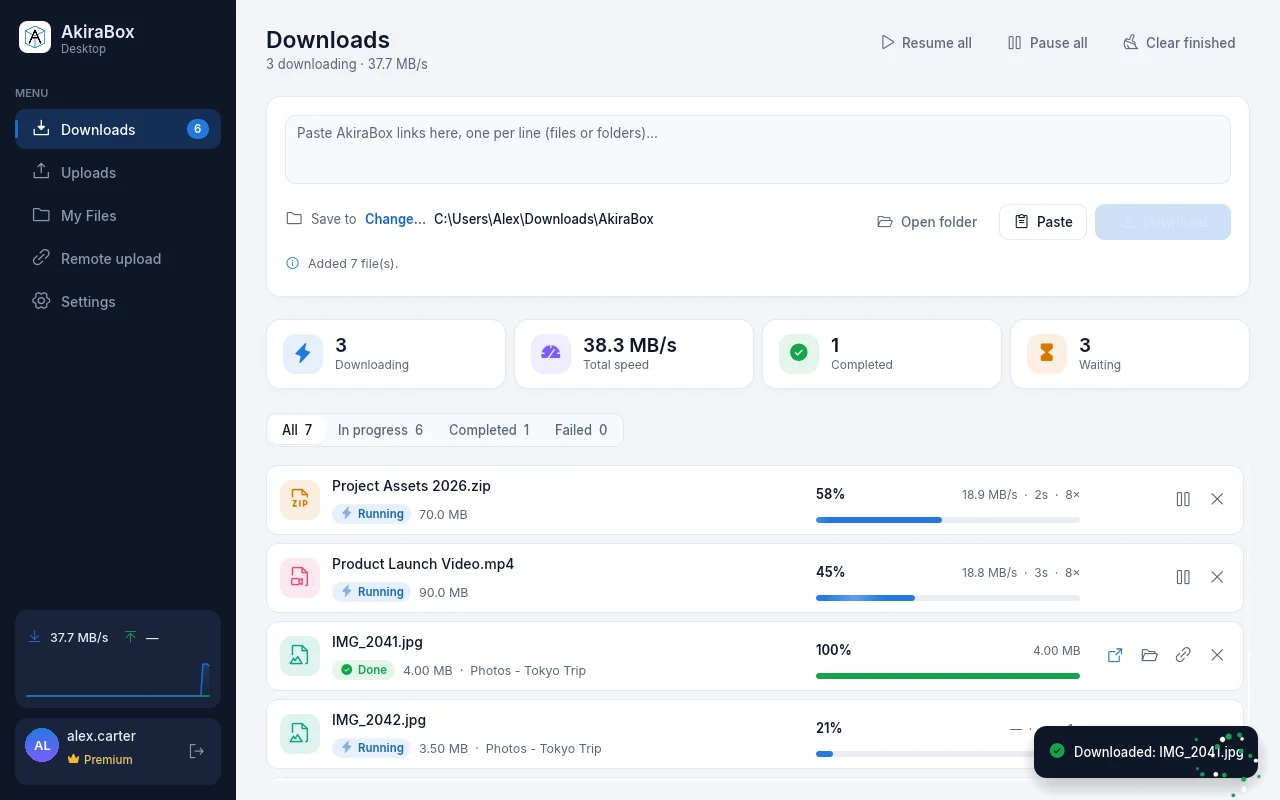
Up to 16 connections per file and several files at once, with live speed and time left.
Windows 10 & 11 · 64-bit · v1.0.0
Download and upload at full speed: many connections at once, whole folders, pause and resume that survive a restart. Included with Premium, Webmaster and Partner.
21.1 MB · No installation needed · Free updates
16×
connections per file
17
languages
0
ads, captchas or countdowns
∞
resume after a restart
One window for your downloads, your uploads and your files, built for big transfers.
Up to 16 connections per file and several files at once, with live speed and time left.
Stop any time, close the app or lose the connection: it carries on exactly where it stopped.
Paste a folder link and get every file in it, with the same folders on your disk.
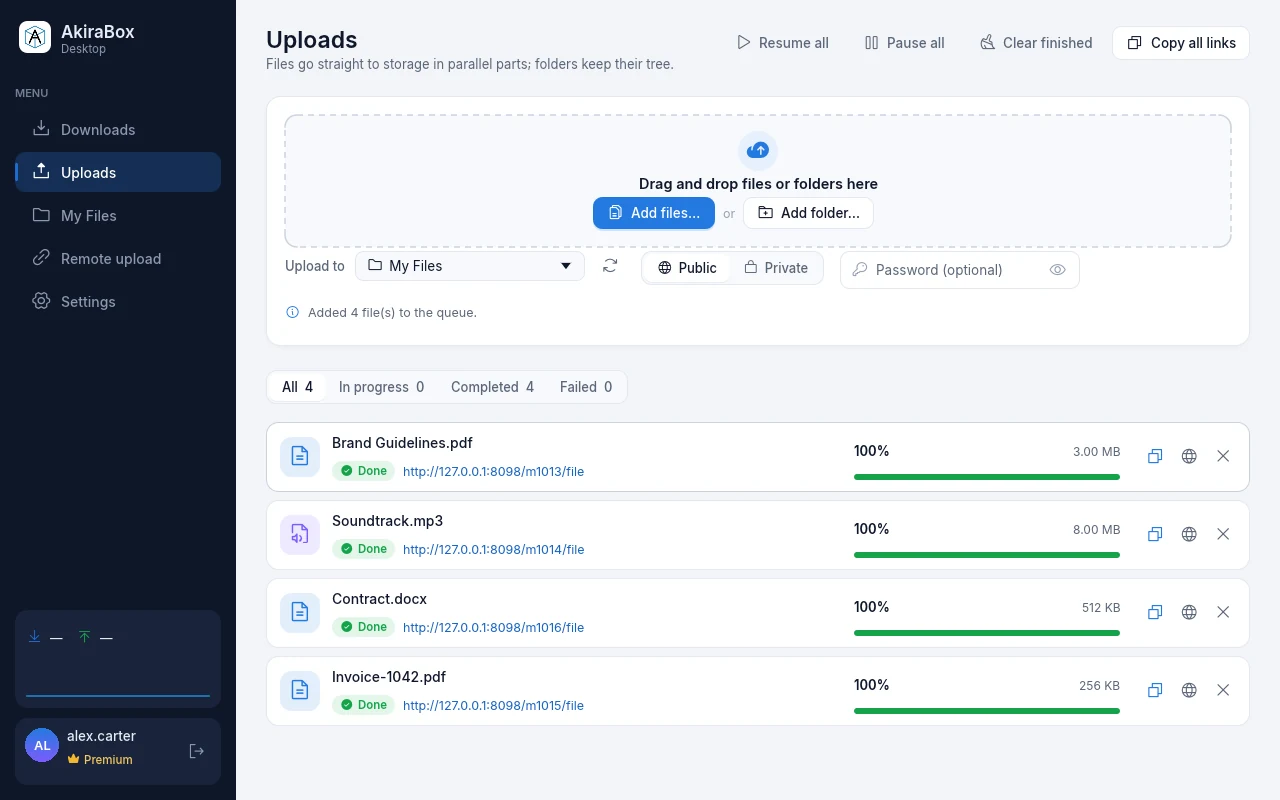
Files go up in parallel parts straight to storage. Drag a folder in and it keeps its tree.
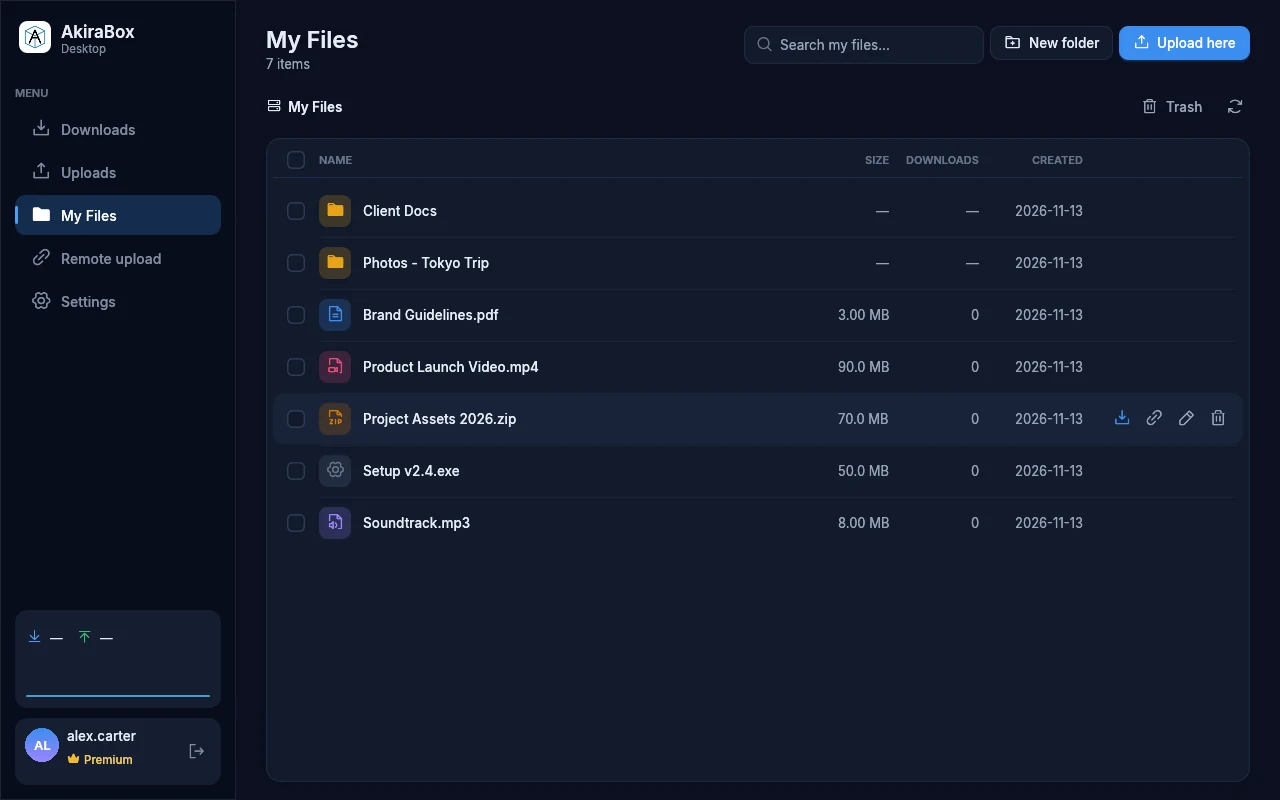
Browse, search, rename, move to trash and copy links of everything in your account.
Uploads
Drag files or whole folders onto the window. Big files go up in parallel parts straight to storage, folders keep their structure, and every file gets its link — copy them all in one click.
My Files
Browse your folders, search, rename, send things to the trash and get them back, or download a whole folder to your PC. Light or dark, the way you like it.
Included, no extra cost
Sign in with your AkiraBox account. The app checks your plan and unlocks everything at once.
Premium
Everything in the app, plus ad-free downloads everywhere.
Webmaster
Upload and manage the files you serve to your visitors.
Partner
Included for partner websites that share on AkiraBox.
The app talks only to akirabox.to over HTTPS. Your session is stored encrypted for your Windows user, and signing out removes it.
English, Tiếng Việt, Español, Português, Français, Deutsch, Italiano, Nederlands, Polski, Türkçe, Русский, Українська, Bahasa Indonesia, 日本語, 한국어 and Chinese. It follows your Windows language.
Accounts on Premium, Webmaster or Partner. Sign in with your AkiraBox email or username and password (and your two-factor code if it is on). Anyone can install it; other accounts are asked to upgrade first.
No. Download AkiraBox.exe and open it: it runs as it is on Windows 10 and 11 (64-bit). Settings and your download list are kept in your user folder, so you can keep the file wherever you like. The app tells you when a new version is out.
SmartScreen warns about apps it hasn't seen many people run yet. Click “More info”, then “Run anyway”. Only run AkiraBox.exe downloaded from this page.
Downloads and uploads pause and pick up from where they were, even after you close the app or restart your PC. Links that expire on the way are renewed by themselves.
No ads, captcha or waiting. To keep things fair there is a generous cap on how many download links one account can open per hour; if you ever reach it, the app waits and continues by itself.
English, Tiếng Việt, Español, Português, Français, Deutsch, Italiano, Nederlands, Polski, Türkçe, Русский, Українська, Bahasa Indonesia, 日本語, 한국어, 简体中文 and 繁體中文. It follows your Windows language and can be changed in Settings.
Download the app, sign in, and paste your first link.
Paste direct links and AkiraBox copies the files into your account on its servers.